When I originally built The Wired Nomad, the idea was pretty simple.
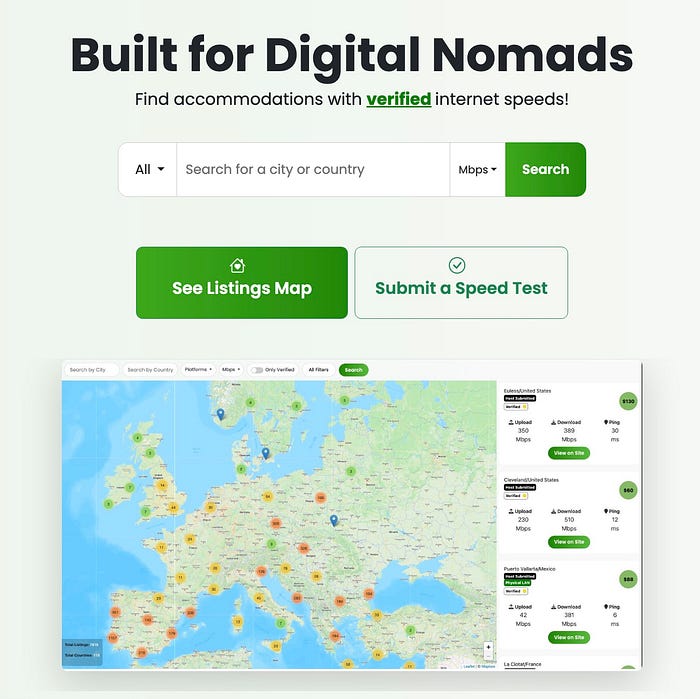
Remote workers shouldn’t have to gamble on internet quality every time they book an Airbnb. Most accommodation listings will tell you that Wi-Fi exists, and if you’re lucky, the speeds. But very few tell you something I have always considered much more valuable:
Can you actually plug into the network with Ethernet?
That became one of the fundamental ideas behind The Wired Nomad: creating a database of accommodations where remote workers can identify properties with accessible wired LAN connections.
Ethernet gives you the opportunity to bypass Wi-Fi entirely and get as close as possible to the actual performance of the property’s internet connection. For years, I mostly thought about that in terms of plugging a laptop directly into the network.
Why Wired LAN Access Matters
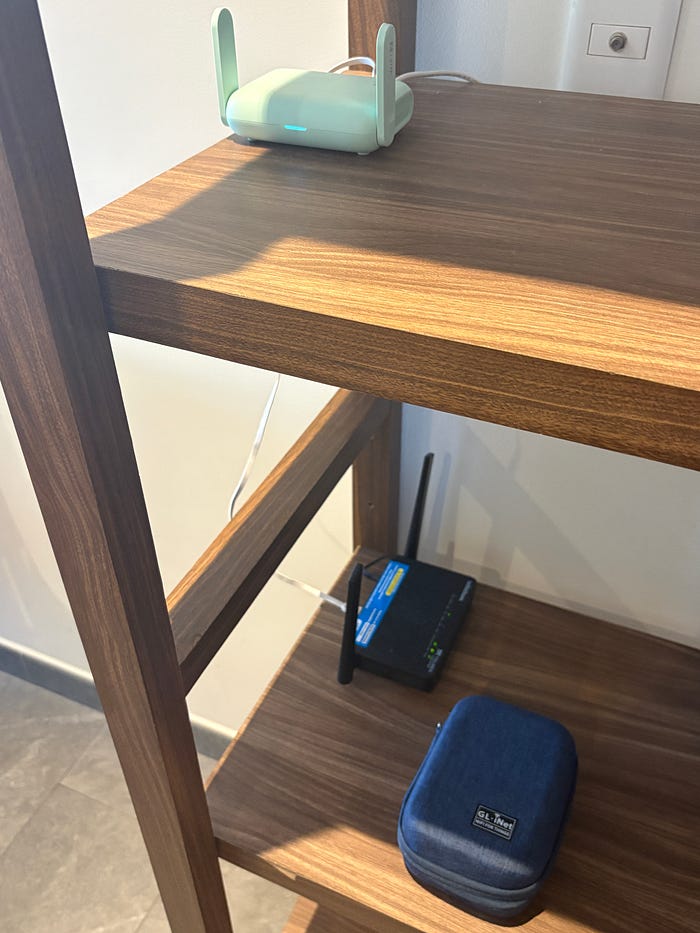
While working from my Airbnb in Mexico City one day, I was reminded of another reason wired access is so valuable. You can use it to replace the property’s Wi-Fi with your own. At that point, I wasn’t a “stealth” digital nomad anymore, and so maintaining a wired connection with Wi-Fi disabled on my laptop was no longer a concern. However, even with fiber optic (Telmex) internet in my Airbnb’s apartment complex, speeds were extremely bad. Some mornings I was getting only a few Mbps download even despite being on a 5 GHz, 40 MHz Wi-Fi channel. So, I went over to the router and plugged my laptop into the LAN port and ran another speed test. 300+ Mbps. Awesome.
Then, I plugged in my GL.iNet Beryl 7 into the Airbnb’s wired LAN port and connected to its 5 GHz Wi-Fi network and re-ran the speed test. 300+ Mbps again. A simple switch from Channel 149 (40 MHz bandwidth) to Channel 40 (80 MHz bandwidth) was the magic. The GL.iNet router allows me to have Wi-Fi channel control. And thus, the very important lesson is learned, fast internet does not automatically mean fast Wi-Fi.
An Airbnb (or any rental apartment) can have perfectly good fiber service while still suffering from:
- An old or underpowered ISP-provided router
- Poor router placement
- Congested Wi-Fi channels
- Interference from neighboring apartments
- Poor automatic channel selection
- Limited 5 GHz coverage
- Too many devices sharing the access point
Just don’t forget to bring your own Ethernet cable… or two. One of those should be 10–30 feet in case you want to stay fully wired to your desk. Or, just a simple jumper from the main router to your GL.iNet router will do (as in my case).
Which GL.iNet Travel Router Should You Carry?
So, which router actually makes sense to throw in your backpack?
If your main goal is what I described above, plugging into an Airbnb or hotel’s Ethernet connection and creating your own reliable Wi-Fi network, you don’t necessarily need the fastest or most expensive model. WireGuard VPN throughput doesn’t matter if you aren’t actually using a VPN. For this particular use case, I would pay attention more to Wi-Fi generation, Ethernet ports, portability, and whether you need features such as EAP authentication for hotels, offices, or coworking spaces.
Here are the models I would consider.
As an Amazon Associate, The Wired Nomad may earn from qualifying purchases.
Beryl AX: The Budget-Friendly Choice
Beryl AX (GL-MT3000) is probably the easiest recommendation if you want something compact, inexpensive, and capable enough for most remote workers (as both a VPN server and a client!).
It supports Wi-Fi 6, has one LAN port for a wired device, and is rated for WireGuard speeds up to 300 Mbps. But again, even if you never turn on WireGuard, the important part for this article is that you can plug the Beryl AX WAN port into the property’s router’s LAN port and create your own Wi-Fi network.
Slate AX: Better If You Want More Ethernet
Slate AX (GL-AXT1800) is slightly larger, but it gives you two LAN ports instead of one. That can be useful in case you have multiple laptops or need your phone to be wired to the router. Slate AX also supports EAP networks, which can make it the more convenient choice if you regularly work from offices, universities, or coworking spaces that use enterprise-style authentication.
Beryl 7: My Current Travel Router
Beryl 7 (GL-MT3600BE) is what I was using when I ran into the problem described in this article. It is a compact Wi-Fi 7 travel router with 2.5 Gigabit Ethernet and WireGuard speeds rated up to 1,100 Mbps. If you want a compact modern travel router and expect to keep it for several years, Beryl 7 would be my current all-around choice.
Slate 7: For Travelers who Want EAP and a Display
Slate 7 (GL-BE3600) is another dual-band Wi-Fi 7 option, but it takes a slightly different approach. It includes a built-in display and supports EAP networks, which may make it more attractive if you spend a lot of time connecting through different hotels, offices, or coworking spaces. It has one LAN port and is rated for WireGuard client speeds up to 540 Mbps.
There is also a higher-end Slate 7 Pro (GL-BE10000). It adds tri-band Wi-Fi 7 with 6 GHz, and a larger 2.8-inch touchscreen, and WireGuard speeds up to 1,100 Mbps. However, as of September 2026, Slate 7 Pro is not currently available for sale in the United States because it has not received FCC certification under the current regulatory environment. GL.iNet has stated it is pursuing an exemption.
Which One Should I Actually Buy?
For most remote workers, I would narrow it down like this:
- Beryl AX: Best value if you mainly want your own Wi-Fi network without spending much.
- Slate AX: Better if you want two LAN ports or regularly encounter EAP networks.
- Beryl 7: My preferred all-around option if you want high-performance chipset for VPN capability.
- Slate 7: Best suited to travelers who value EAP support and the built-in display.
Contrary to popular thought, you do not need to buy the fastest model simply because it is newer or has the advertised VPN throughput (and for 99% of people, these speeds will not even be practically achievable anyway). Nor should you buy a much older, underpowered model like the GL.iNet Opal just to save a few bucks.
Using a Travel Router for Remote-Work VPNs
Everything above applies even if you never use a VPN.
However, if your goal is to use a GL.iNet travel router to connect back to your home network while working remotely, that opens up another set of use cases entirely. A travel router can run self-hosted WireGuard, Tailscale, ZeroTier, or other VPN solutions (commercial VPN providers) so that your laptop and other devices connect through your home internet connection while you travel.
This is actually one of the original use cases behind The Wired Nomad.
For more information on setting up a VPN server router and travel router for remote-work VPN use see my VPN setup guide including the new VPN fit assessment quiz.
Whether you decide to use a VPN or not, I believe everyone should carry a travel router to get more control over their Wi-Fi and internet experience while traveling. Once your devices know your personal GL.iNet network, they can automatically reconnect wherever you go. The only network you need to deal with at each destination is the upstream internet connection, which, ideally, is as simple as plugging an Ethernet cable into the wall or the host’s router.
And as The Wired Nomad’s database continues to grow, I hope it makes finding accommodations with that kind of wired access a little easier.
Disclosure: I work for GL.iNet. Some links on The Wired Nomad may also be affiliate links. However, because I work for GL.iNet, I do not receive additional commissions through GL.iNet’s affiliate program. This article is not sponsored advertising. It is an educational recommendation based on a networking problem I personally encounter while traveling.